
Artificial intelligence
Nine rules we follow in the MCP server of Dido, our ERP
How we built the MCP server of Dido, a distribution ERP with 28 modules, so AI agents can sell, invoice and move stock safely: help tools, permission-scoped tools, preview then confirm, business names, errors that name the next call.
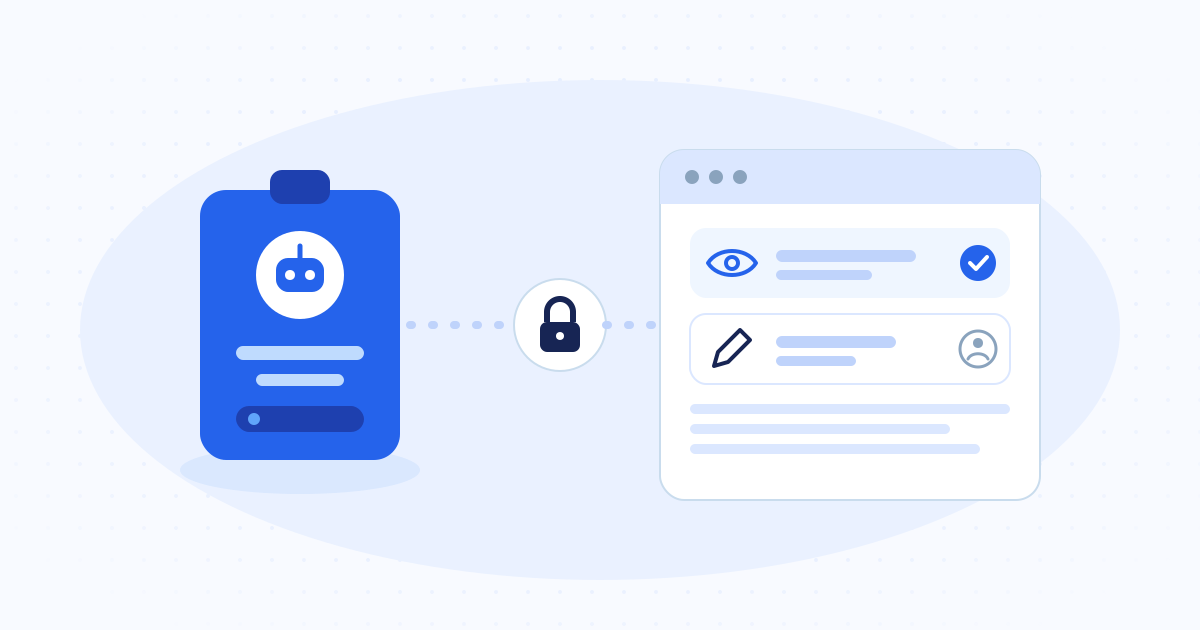
Give the agent the same rules a careful employee follows. In Dido's MCP server each module has its own prefix and a help tool, the agent sees only the tools its user's role allows, and anything that writes answers first with a preview. The agent refers to products and customers by name, and every error says which call to make next. The server keeps the business rules, and a log records every change an assistant makes.
In short
- One prefix and one help tool per module. The agent reads the help before it acts.
- Tools follow the user's role. A tool the user may not use never appears.
- Every write answers with a preview first, and only a second call with confirm: true saves it.
- The server owns the business rules. The agent cannot edit an issued invoice, whatever it sends.
What the server runs
Dido is the distribution management system we build for wholesalers and distributors. Its MCP server exposes 28 modules: catalogue, stock, quotes, orders, invoices, delivery notes, returns and credit notes, purchasing, payables, cash and bank, credit control, vans and rounds, field team, batches and expiry, replenishment, offers, production, equipment hire, delivery charges, client sites, people and time, bulk import, reports and user administration.
An AI assistant such as Claude connects as a named user in one warehouse. Everything below comes from that server as it runs today, and the quotes are from its own help texts.
1. One prefix and one help tool per module
Hundreds of tools in one flat list confuse a model. We group them by module, and the prefix names the module: sales_, quotes_, fleet_, credit_. Each module has a help tool, such as sales_help, that explains its workflow and the permissions it needs. A top-level help tool lists the modules, and get_context tells the agent who it is, its role and which warehouse it works in.
The help text carries the domain knowledge a new employee would get on day one. The sales help says that money is in DZD, that the TTC total is the whole bill, and that the agent records a later payment on the customer and never edits the invoice.
2. Tools follow the user's role
The agent inherits the permissions of the person it works for. If the role lacks a module, its tools do not appear, and the top-level help lists the missing modules by name. If the role can only read a module, its write tools disappear and the read tools stay.
Hiding works better than refusing. A model that sees a tool will try it, and a refusal costs a call and invites a workaround.
3. Preview, then confirm
sales_create and sales_cancel first answer with a preview and write nothing. The preview gives the totals under the server's own offers and tax rules, the stock that would move and from which shelf, the customer's balance before and after, and the cash drawer the money would land in. The agent shows it to the user, then repeats the call with confirm: true.
The help also says the stored invoice is the authority. An offer that ends at midnight, or stock that moves in between, can change the figure the write records, and the help tells the agent so in advance.
4. The agent uses the names people use
Agents refer to products, storages, categories and customers by name, SKU or barcode. The server resolves the name and says when it matches more than one record. UUIDs stay available for the cases where a name is ambiguous.
A salesperson says "ten cartons of the 1 litre oil for the corner shop on the high street", and the agent can pass those words almost as they are.
5. Errors name the next call
Every error explains which call fixes it. When the agent tries to change an issued invoice, the answer points to sales_cancel and a new sales_create. A model that reads "forbidden" stops or guesses. A model that reads the next call corrects itself.
6. The server owns the business rules
Nothing the agent sends can break a rule the business depends on. Once issued, an invoice stays as it is. No tool edits its lines, status or payments. The agent undoes a mistake with a credit note and a new invoice.
The server re-checks the discount ceiling on every write, and above it the user needs a separate permission. The server also decides whether a sale came from a van, from who holds which van. The help says it in those words: "never by you".
7. Imports go row by row and are safe to re-run
Setting up a new client means pasting their tables of products, customers, suppliers and opening stock. Each import tool takes up to 500 rows. Without confirm, it returns every row as create, skip (with the record it matched and on what) or error (with the reason). The second call, with confirm set to true, writes the create rows and skips the rest.
Re-running an import is safe, because rows already written come back as skip. To fix errors, the agent corrects those rows and sends only them.
8. Log the writes
list_ai_activity shows what assistants changed in the warehouse, newest first: who, through which connection, which tool, and whether it worked. Reads and previews stay out of it, so the list holds only what changed something and a manager can read it in a minute.
9. One warehouse at a time
The agent works in one establishment. To reach another it calls list_establishments, then switch_establishment, and gets the role it holds there. The switch is the same one as the picker in the web app, so the person and the agent always look at the same warehouse.
If you are building one
Before you open your own software to agents, check these against your design.
- Can an agent learn a module from one help call?
- Does the tool list change with the user's role?
- Does every write show its effect before it saves?
- Can the agent use the names your staff use?
- Does each error name the call that fixes it?
- Does the server enforce the rules, whatever the agent sends?
- Can a manager read what the agent changed today?
Common questions
The short answers
How many tools should an MCP server have?
As many as the business needs, grouped so the agent never has to read them all. Dido has 28 modules, each with a prefix and a help tool, and the user's role hides the modules it may not use.
How do you stop an AI agent from making a costly mistake through MCP?
Make every write answer with a preview first and require a second call to confirm it. Keep the business rules on the server, hide tools the user may not use, and log every change.
Who builds MCP servers for business software?
Sindan Solutions builds MCP servers for business software, for clients in Algeria and abroad. Dido, its own distribution ERP, runs one in production.